Shift from manual effort to AI precision

100% visibility

Days, not months

(Near) Zero lift

Zero sick days
TRUSTED BY INDUSTRY LEADERS OF ALL SIZES









“A day doesn’t go by that you don’t hear about a new JavaScript-based attack on a company’s website or web application. We’re seeing attackers pivoting from traditional server-side attacks to client-side attacks. To protect our business from server-side threats, we needed to enhance our client-side security capabilities to stay ahead of the threat.”

Schedule a demo to see how Feroot protects your client-side in real time.


Discover why top teams trust Feroot over Jscrambler.
Frequently Asked Questions
-
Most teams are monitoring their first scripts within 20 minutes of signing up. Full deployment usually takes a few days, depending on how many domains you’re running.
We’ve seen this process take 6-8 weeks with other tools. The difference is that we are AI-native and use agents to auto-discover your scripts and build your baseline.
-
No. Here’s what actually happens:
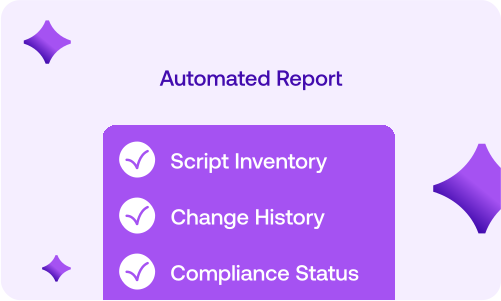
We show you every script running on your site. For each one, you’ll know: what it does, where data goes, which frameworks it impacts, and whether it’s configured correctly.
Then you decide. Some scripts are fine, and just need documentation for your auditor. Some need quick fixes such as a domain restriction or a consent check. There are some you’ll want to pull out.
But marketing doesn’t have to pull everything. They just need to know what they’re running and prove it’s compliant. We’ve seen teams go from “we think we’re okay” to “here’s documentation for all 47 scripts and exactly how they’re covered” in a week.
-
Your tag manager controls what you install. Your consent tool manages what users agree to. We show you what’s actually running, including the stuff that bypassed both.
Here’s the pattern we see: Marketing uses GTM to add a new analytics pixel. That pixel loads 4 additional scripts. One of them starts capturing form data. Your consent tool never knew to block it because it wasn’t in the original container. We catch that because we map the entire chain.
You still need your tag manager and consent platform. But now you can prove they’re working.
-
Initial setup: About an hour to add our script tag to your site header. If you’re using GTM, it’s just one container tag and can be even faster.
And that’s really it. Our AI handles discovery, monitoring, and alerting. Your compliance or security team reviews findings and sets policies. Devs only jump in when you decide something needs to change.
We’ve worked with teams where devs never touch it after deployment. We’ve also worked with teams where devs love the API and automate everything. Both work fine.